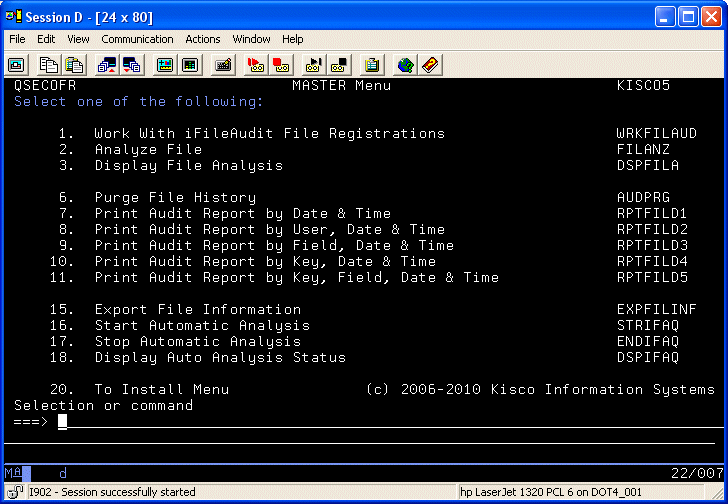
The following series of screens demonstrates iFileAudit functions and features. After installing the product, the following main menu will be displayed on your system:
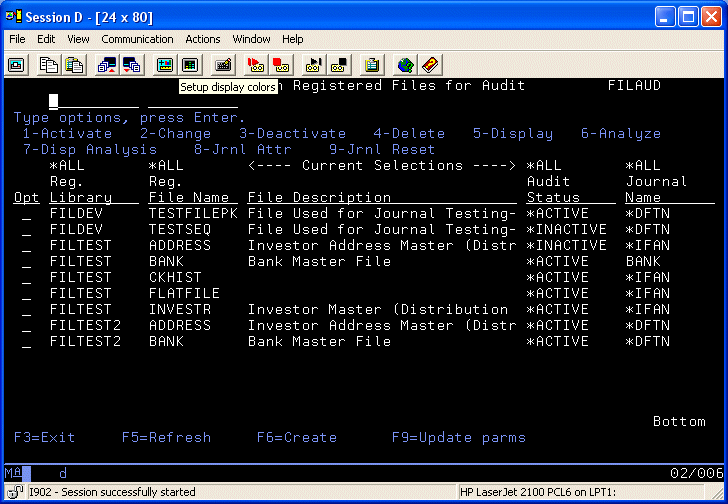
Menu option #1 lets you register files for tracking by iFileAudit and then activate, deactivate, analyze and report on the tracking:
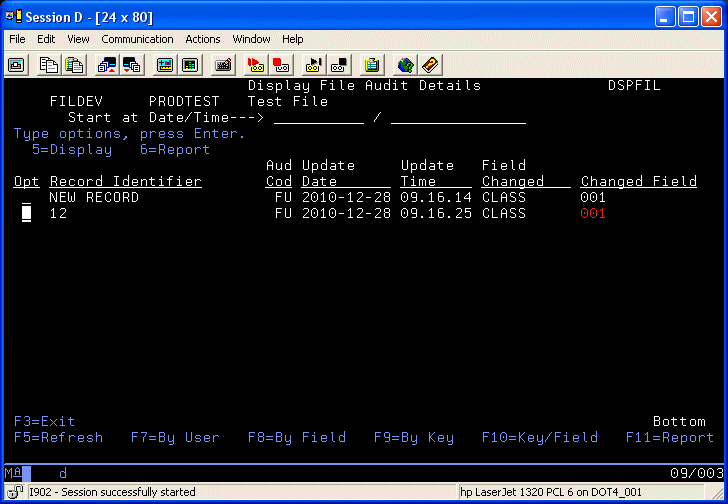
This screen shows the results of a file analysis in iFileAudit. It lists all of the changes that have been made to the file in a chronological sequence. You can choose to view the changes in a variety of sequences by selecting different function keys. You can also display the details of a specific change by simply selecting it.
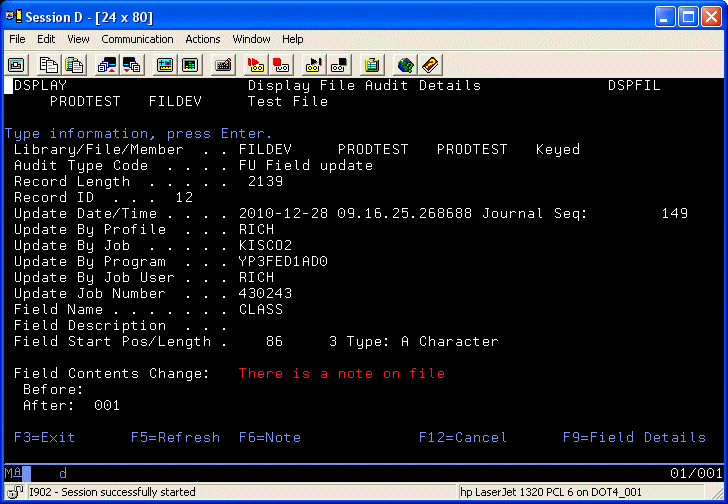
When you select the details, a screen like the following will be shown:
Using other options, you can also generate hardcopy reports using a variety of selection options and reporting sequences to provide a permanent record of file changes and updates.
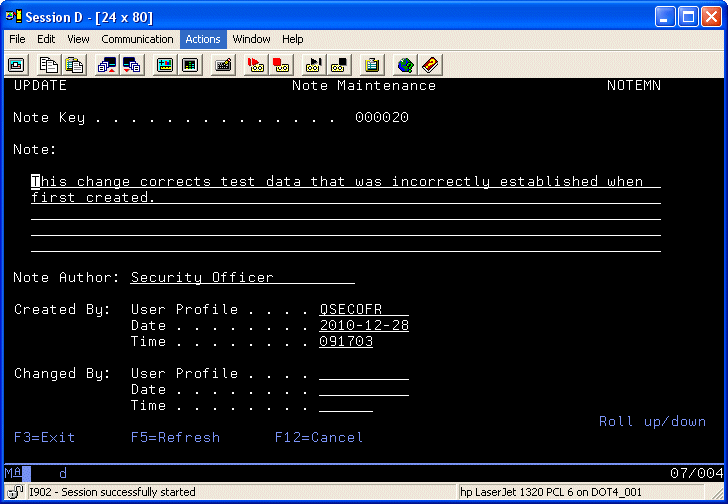
In the example shown, you can see that there is an Audit Note on file for this field update. By pressing the F6 key, you can access the note as follows:

© 2021 KISCO SYSTEMS LLC
54 Danbury Rd. | Suite 439 | Ridgefield, CT 06877