iFileAudit 8.11 improves security visibility with record-level database alerts. Here's how to set it up.
iFileAudit monitors database activity by extracting transactions from IBM i database journals. This information is stored in a persistent DB2 database for simplified reporting and longer-term retention. Think of it as a datamart for IBM i journals.
Some administrators or security teams will want to know when sensitive data has been changed. For example, a routing number in an ACH configuration, or changes in a pricing table. iFileAudit can alert for field-level changes by monitoring specified fields and posting a message to a message queue.
Now with version 8.11 we can do the same kind of alerting at the record level. In this case, iFileAudit can alert for adds and deletes rather than monitor for changes to individual fields.
Configure the record-level alerts in the product“s journal configuration screen:
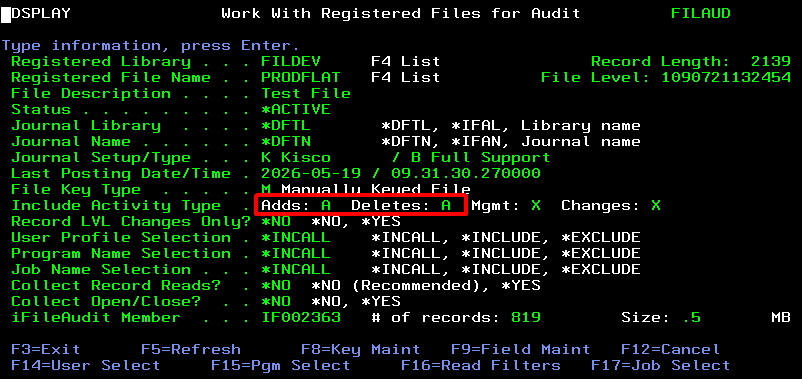
Or in the Bluescape web UI:
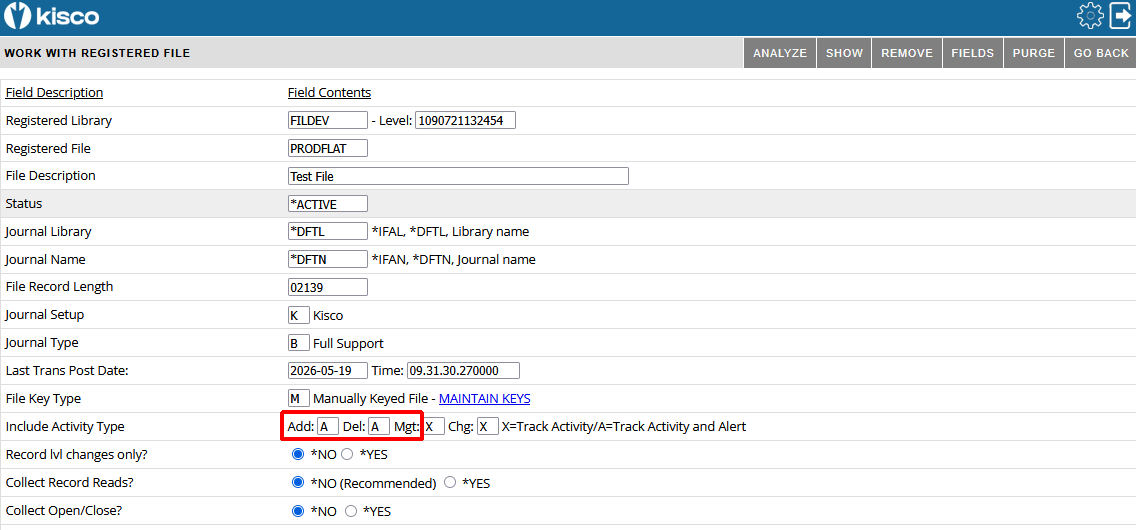
The "Include Activity Type" field accepts three values:
The alerting function sends a message to the IFALERT message queue:
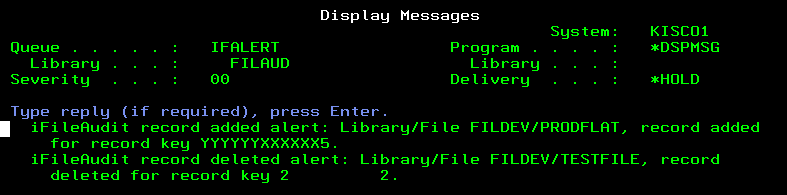
Message Queue Monitoring
We recommend using our iEventMonitor software to monitor specific message queues to send alerts via email or SMS. In iEventMonitor it is as easy as configuring a new Message Queue Watch Task, like this:
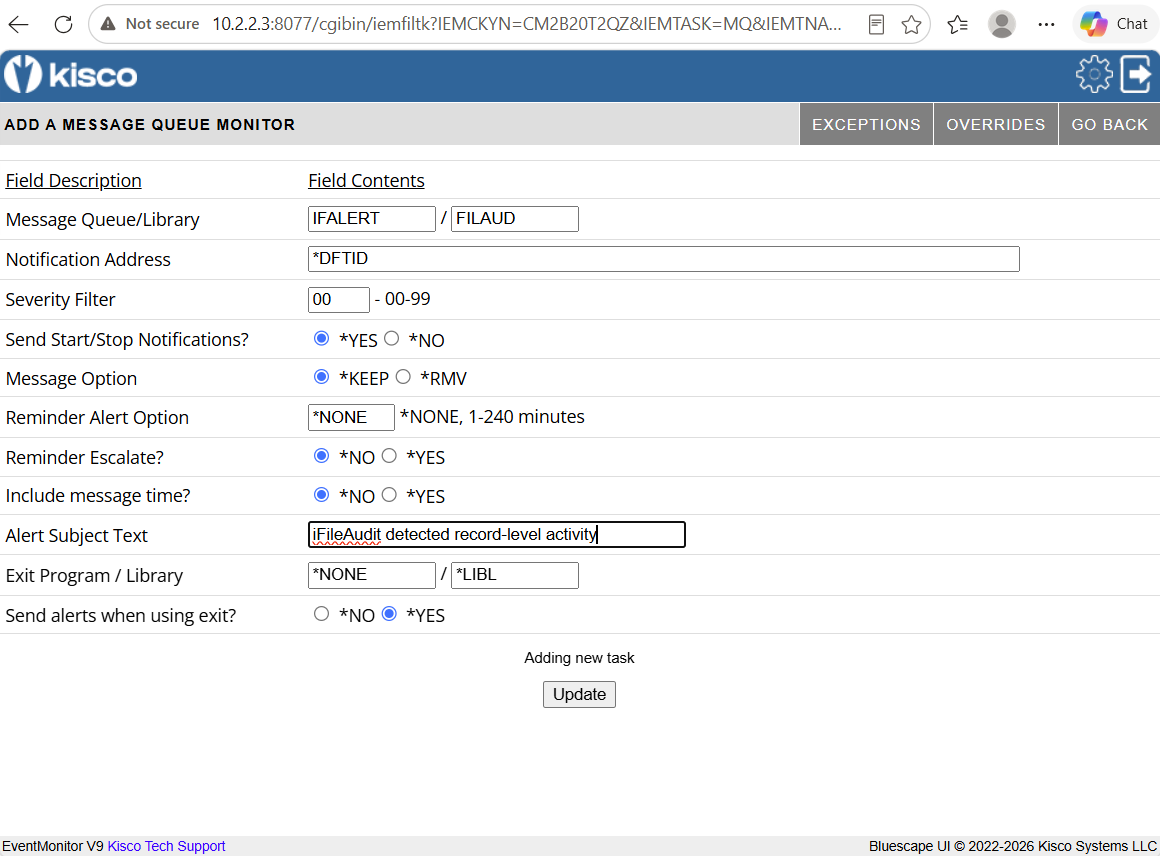
Once this task is enabled you will start receiving notifications whenever the data-change alert is triggered. This message queue traffic can also be forwarded to your company SIEM team.
RELATED POSTS
BROWSE KISCO U
PRODUCT CONTENT

