IBM i is vulnerable to ransomware attacks when IFS directories are shared using Netserver. If this attack surface is broad enough then a ransomware attack can render the entire system inoperable. Any organization with IFS shares must address this risk, starting with the system's built-in capabilities for hardening IFS security.
Do not share IFS root directory
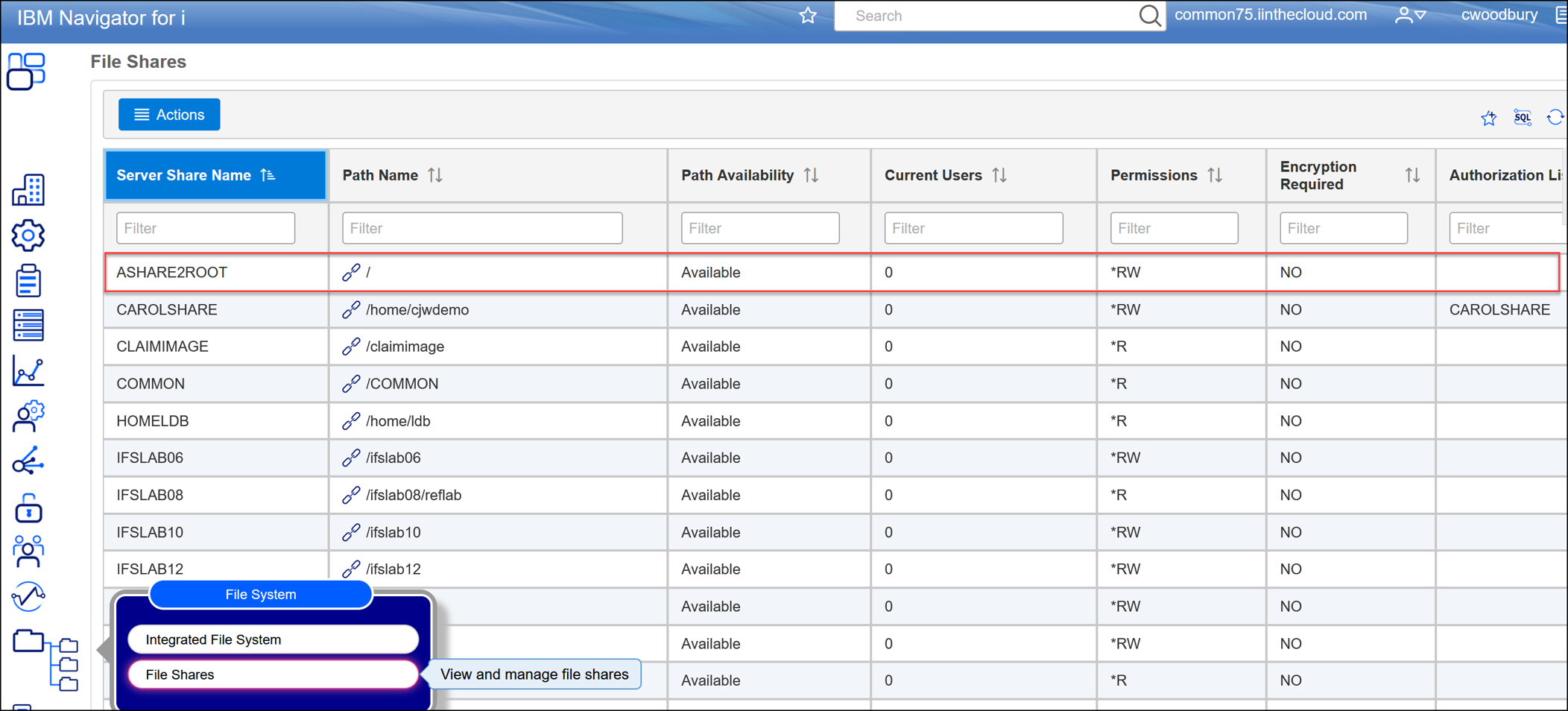
A Netserver share to IFS root allows ransomware to traverse the entire file system including critical IBM system folders. Shared root access is one of the biggest attack surfaces on the IBM i system and must be addressed immediately.
Limit the number of shares
Only IFS folders that require network access to support a business process should be shared. Reducing the number of shares reduces the overall ransomware attack surface and makes it easier to implement and monitor additional security controls.
Share only subdirectories
IFS shares should be defined at the level in the directory path where the information needing to be shared resides, rather than at the top level directory of the path. This will limit the potential scope of a ransomware attack. Ransomware can traverse DOWN a path but cannot traverse back UP a path past where the share has been defined.
For example — if your business process requires sharing a /Purchase_Order folder, share:
/Purchasing/Purchase_Orders/Business_Process_Name
rather than sharing:
/Purchasing
which exposes all subdirectories under /Purchasing.
It is important to understand how shares are being used before making any changes to reduce the attack surface. Several visibility strategies are available depending on your OS level.
Audit share access — 7.6 only
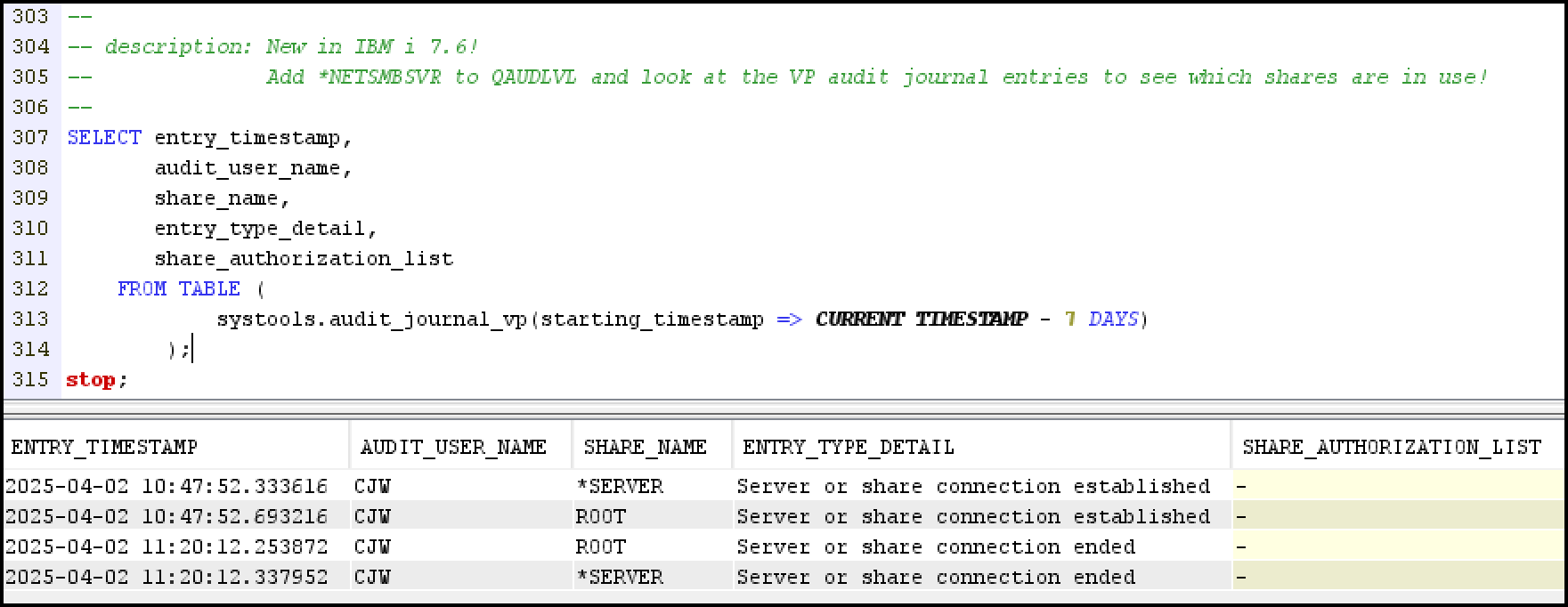
The new *NETSMBSVR Action Audit Value (QAUDLVL system value) generates a VP audit entry documenting the use of a file share – including the name of the share.
Use authority collection — 7.4 and later
If you have IBM i 7.4 or later, the easiest way to determine which profiles are using file shares is to start Authority Collection on each of the paths that are currently shared. Read more here:
Using authority collection to discover who’s connecting via a File Share
Use exit points to monitor IFS activity
The IBM i OS includes the QIBM_QPWFS_FILE_SERV exit point - specifically the PWFS0200 format - to provide access to all IFS activity. You can register a program to this exit point to intercept and log the activity. This feature is supported in our SafeNet security software. Read more about IFS exit point log data analysis here:
Anatomy of IBM i IFS and Windows network shares
Use authorization lists to secure IFS — 7.5 and later

Since OS level 7.5 it is possible (and recommended!) to control Netserver access by applying an authorization list to Netserver as a whole, as well as to individual shares. Read more here:
Using authorization lists to reduce the risk of malware in IFS
Use exit points to implement custom IFS controls
The IFS QIBM_QPWFS_FILE_SERV exit point can also be used to implement additional access controls beyond native OS authorities. An exit program registered to the IFS exit point can potentially:
RELATED POSTS
BROWSE KISCO U
PRODUCT CONTENT

