At Kisco Systems, you'll hear us talk a lot about "legacy risk." When the system has been embedded in a business for as long as the IBM i tends to be, the configuration doesn't always keep up with the operating systems' capabilities. For example, even though newer OS releases include more and more security options, it's very likely that the actual security configuration is out of date.
One example is user profiles. Some user profile conditions create risk for unauthorized access and abuse:
A condition where more than one of the above exists in the same profiles is considered to be HIGH RISK. In particular, we are interested in user profiles with elevated priviledges AND default password.
A SQL script in IBM i SQL Services will show us immediately if we're at risk.
IBM i SQL for users with default password
Using "run sql scripts"To determine if any profiles with both *ALLOBJ and a default password exist on your system, run the following SQL: from ACS:
SELECT user_name,
       special_authorities,
       text_description
FROM QSYS2.USER_INFO
WHERE (SPECIAL_AUTHORITIES LIKE '%*ALLOBJ%'
    OR AUTHORIZATION_NAME IN (SELECT USER_PROFILE_NAME
       FROM QSYS2.GROUP_PROFILE_ENTRIES
       WHERE GROUP_PROFILE_NAME IN (SELECT AUTHORIZATION_NAME
          FROM QSYS2.USER_INFO
           WHERE SPECIAL_AUTHORITIES LIKE '%*ALLOBJ%')))
   AND user_default_password = 'YES'
ORDER BY AUTHORIZATION_NAME;
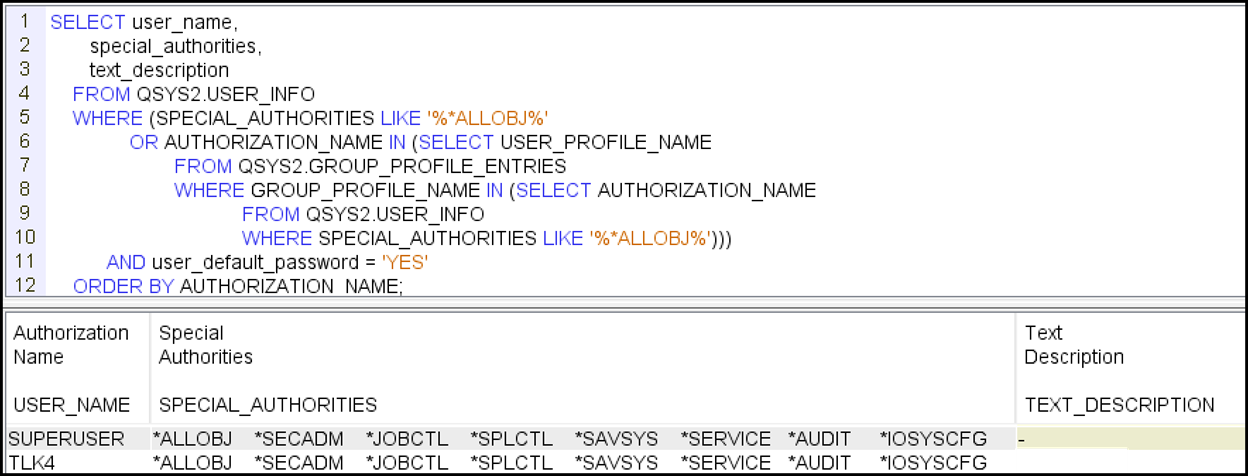
Figure 1
If profiles are listed, you may want more information than is shown in Figure 1 to further evaluate the risk and prioritize your actions. For example, profiles that are enabled pose a higher risk than those that are disabled so you may want to act on those first. And if a profile hasn’t been used in many years, the appropriate action may be to delete the profile rather than leaving it on the system. The following SQL includes additional fields that we find useful when helping our clients perform further investigation. The results are ordered by status then name:
SELECT user_name,
       special_authorities,
       group_profile_name,
       supplemental_group_list,
       status,
       last_used_timestamp,
       user_creator,
       creation_timestamp,
       user_owner,
       text_description
FROM QSYS2.USER_INFO
WHERE (SPECIAL_AUTHORITIES LIKE '%*ALLOBJ%'
        OR AUTHORIZATION_NAME IN (SELECT USER_PROFILE_NAME
              FROM QSYS2.GROUP_PROFILE_ENTRIES
              WHERE GROUP_PROFILE_NAME IN (SELECT AUTHORIZATION_NAME
                    FROM QSYS2.USER_INFO
                    WHERE SPECIAL_AUTHORITIES LIKE '%*ALLOBJ%')))
        AND user_default_password = 'YES'
ORDER BY STATUS, AUTHORIZATION_NAME;
Other ways to check for default password accounts
Other Profile Configurations that can Pose a Risk
Profiles that may pose a risk to your system are not limited to just those with a default password and elevated privileges. You can use the IBM i service QSYS2.user_info to list all user profile settings. Beyond the obvious special_authorities, group_profile_name and supplemental_group_list, other attributes you may want to investigate include:
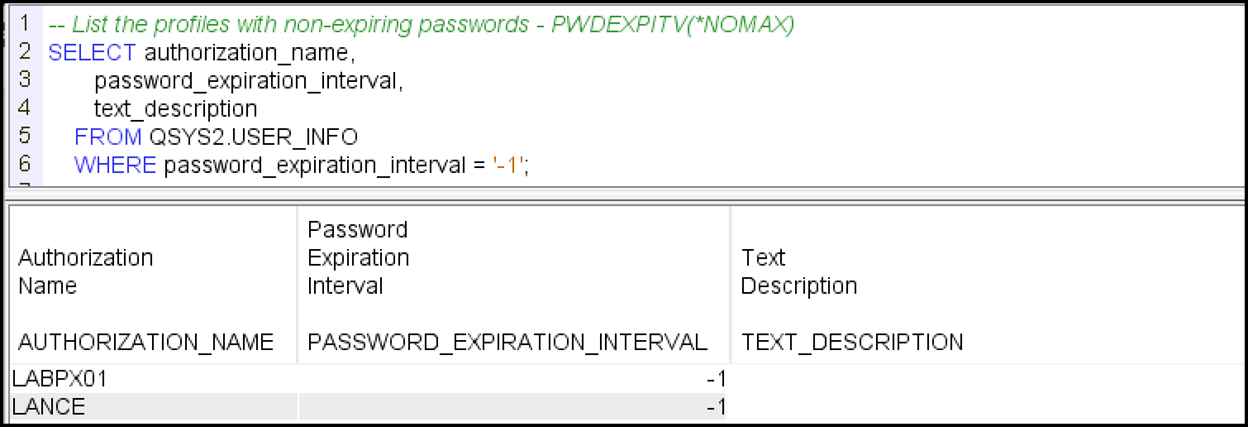
For example, you may want to review the list of all profiles with a password that doesn’t expire (meaning the profile’s password never has to be changed.) The following SQL will provide that list:
SELECT authorization_name,
       password_expiration_interval,
       text_description
    FROM QSYS2.USER_INFO
    WHERE password_expiration_interval = '-1';
Detailed information on the QSYS2.user_info IBM i Service can be found here.
Kisco Solutions
SafeNet/i uses exit points to add extra security rules that can block access all but the most critical priviledged user profiles.
iSecMap audits IBM i security in real time and will report and notify for events related to password and special authorities.
RELATED POSTS
BROWSE KISCO U
PRODUCT CONTENT

