The NetServer is the server that allows you to map a network drive from your desktop to IBM i using a file share. We’ve discussed ways to reduce the risk of malware by securing the NetServer and/or individual file shares using authorization lists. We’ve also discussed the anatomy of a ransomware attack. But there are two more vulnerabilities in NetServer that we recommend be closed and a feature you take advantage of.
Broadcasting Shares
First, the broadcasting of shares. What does this mean? When one takes the option to map a network drive, the Browse option is presented. (See Figure 1.)
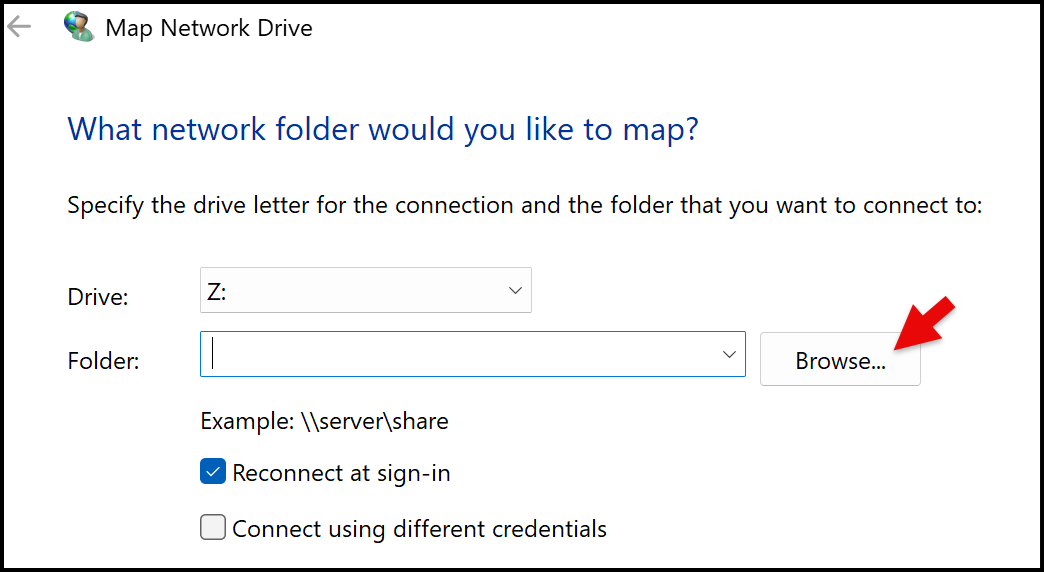
Figure 1
The NetServer properties default to provide the list of IBM i shares when Browse is clicked.
Note: The only shares that won’t be listed are shares with a ‘$’ at the end. For example, a share named CAROL$ won’t be in the list. This technique is not unique to IBM i – it can be used for any file share in your network.
But the question is, why would you want any IBM i share to be browsable? We recommend that you turn off browsing entirely so users must know the name of the share, making it harder for users to connect to a share out of curiosity or with intent to do harm. To turn off this feature, sign into Navigator for i then Network->Servers->TCP/IP Servers. Right click on IBM i NetServer and choose Properties->Advanced. Change Send browse announcements to No. (See Figure 2.)
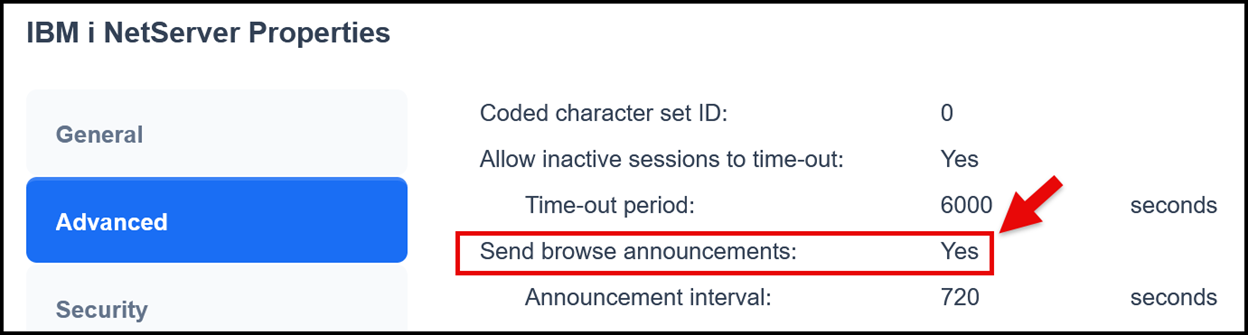
Figure 2
Encrypted Connections
Another feature we’d recommend you take advantage of is to require an encrypted connection. You can specify this for the entire NetServer in the NetServer configuration (Properties->Security) or when creating or changing a share. (See Figure 3.)
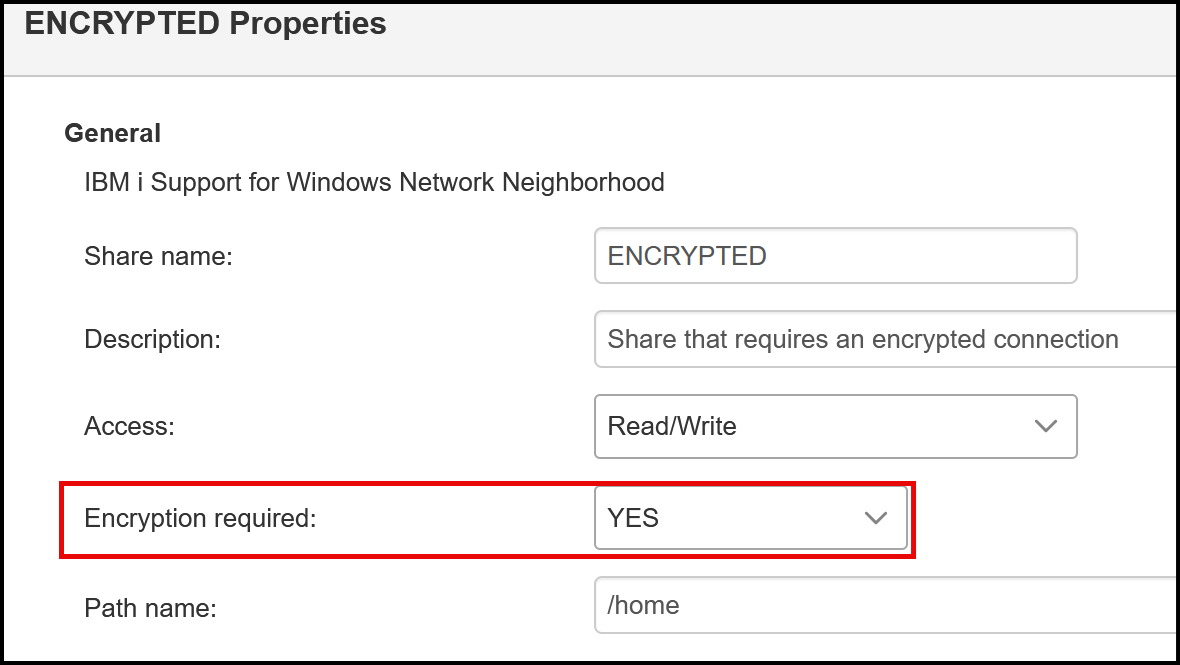
Figure 3
Unlike most other encrypted sessions, you don’t need to have a digital certificate assigned to the NetServer in DCM (Digital Certificate Manager.) NetServer isn’t even listed in DCM! In this case, it’s the SMB protocol that’s been enabled on the client and in use on IBM i that enables the encryption. SMB2 is required and many of you have probably already debugged issues connecting to a share when connecting from a Windows 10 or Windows 11 client when SMB2 wasn’t enabled by default on IBM i. The good news is that SMB2 and SMB3 are enabled by default starting at IBM i 7.4.See https://www.ibm.com/support/pages/ibm-i-netserver-smb-protocol-version-control-guide for additional information. Once defined to require encryption, you’ll see confirmation that password encryption was used when displaying the sessions currently connected to the share. (See Figure 4.)
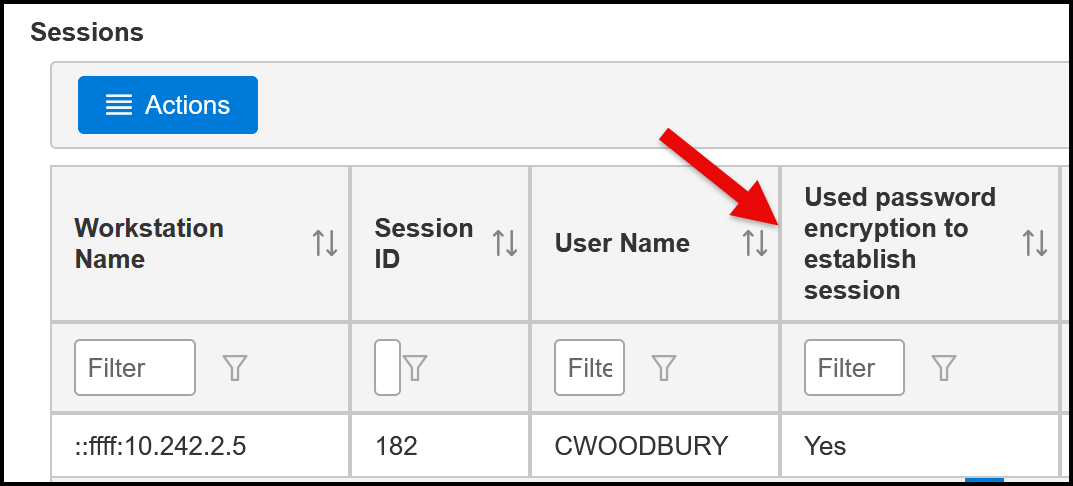
Figure 4
A word of caution: You probably don’t want to go in and switch the NetServer to require encrypted connections. Doing so will cause all connections for all currently mapped users to be broken. Rather, leave the NetServer setting at Optional and change the setting one share at a time. It’s still going to break all users connected to that share – meaning they’ll have to disconnect and reconnect to the share but helping users do this and debugging issues is much easier one share at a time vs all shares all at once!. Once all shares have been changed to require encryption, then change the NetServer setting.
Guest Profiles
Finally, a significant vulnerability when configuring NetServer is the ability to define a Guest profile. When a Guest profile is defined, users can connect to IBM i via a file share without having to authenticate. In other words, when prompted to map a drive, users can simply type the Guest profile user name and leave the Password field blank. Please don’t stop reading this paragraph assuming you don’t have a Guest profile defined! I can’t tell you how many Guest profiles were discovered when I performed a risk assessment where the Administrator I was working with had no idea it existed. In most cases, the profile had been defined years ago – when the IFS was first introduced and no one knew what to do with it or how to properly (from a security perspective) configure it. Administrators often defined a Guest profile so they could play around - in much the same way that they shared ‘/’ – without understanding the security implications of their actions. Defining a Guest profile is as easy as clicking ‘Expand Next Start’ and typing the name of an existing user profile in the Guest user ID field in NetServer Properties->Security. (See Figure 5.)
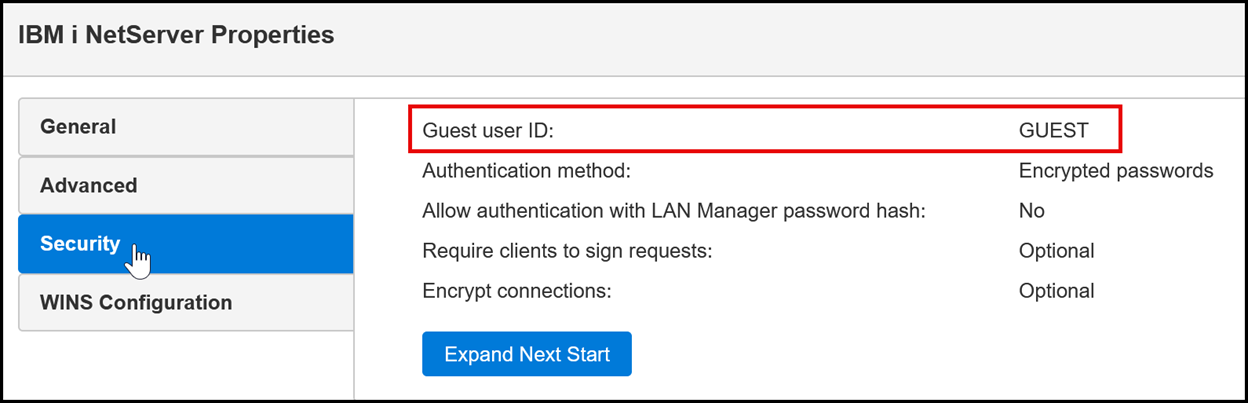
Figure 5
Notes:
If a Guest profile has been defined, your first instinct may be to wipe out the name and restart your NetServer immediately … but we don’t recommend that! In a few cases, the Guest profile is actually in use – either intentionally or unintentionally. (We’ve seen both.) The easiest way to determine whether the Guest profile is in use is to look at the profile’s last used date. If it’s current, it’s in use. Not current or blank and it’s probably safe to remove.
What Do you do if it’s in use? If it’s in use, you’ll want to do some investigation to determine how it’s being used. If it’s not obvious how the profile is used and the QAUDLVL system value doesn’t contain *JOBBAS, run the CHGUSRAUD (Change User Auding) command for the Guest profile specifying AUDLVL(*JOBBAS). This will cause JS audit journal entries to be generated. These entries log the start/stop/release/hold of every job run by the Guest profile. One of the fields in this entry is the IP address. You can use this value to do a reverse DNS lookup to determine where the connection originated. All job names with the prefix QZLSFILE% indicates the job came in via a file share. If there are other job names, the profile is being used for more than just the Guest profile in NetServer! Starting in IBM i 7.6, you can add *NETSMBSVR value to QAUDLVL then use the systools.audit_journal_vp helper function to display which profiles are using a share along with their connect / disconnect times. This will help determine which share(s) the user needs to disconnect from and reconnect using their own user id and password. While the Navigator for i list of shares shows the profiles connected, it's only the list of profiles connected at the time you’re viewing the list. (See Figure 6.) The audit journal will give you a complete list over time.
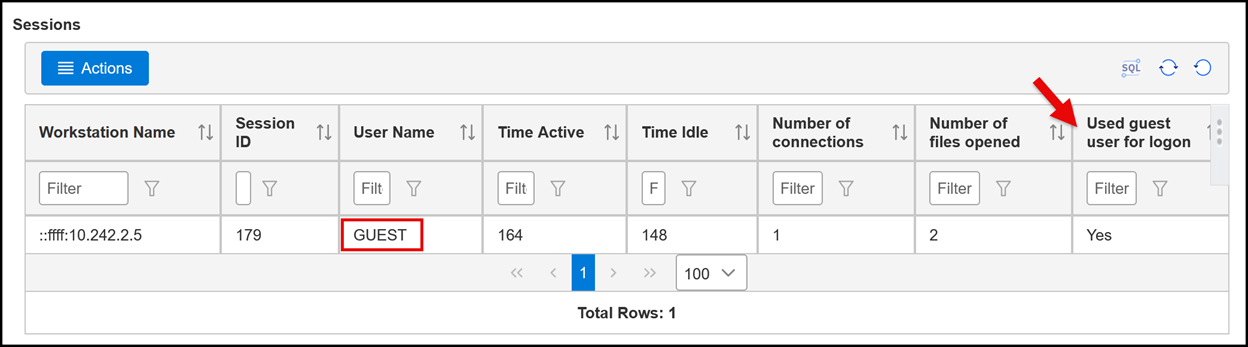
Figure 6
Read more about IFS and Netserver security here:
Contributed by:
Carol Woodbury
IBM i Security SME
Kisco Systems
RELATED POSTS
BROWSE KISCO U
PRODUCT CONTENT

